
ads
필자가 어떠한 프로그램을 실행하려고 했는데 검색창에 검색해서 실행하려니 광고가 뜨는 것입니다.
이 컨텐츠들을 지우는 방법을 소개합니다.
문제 상황
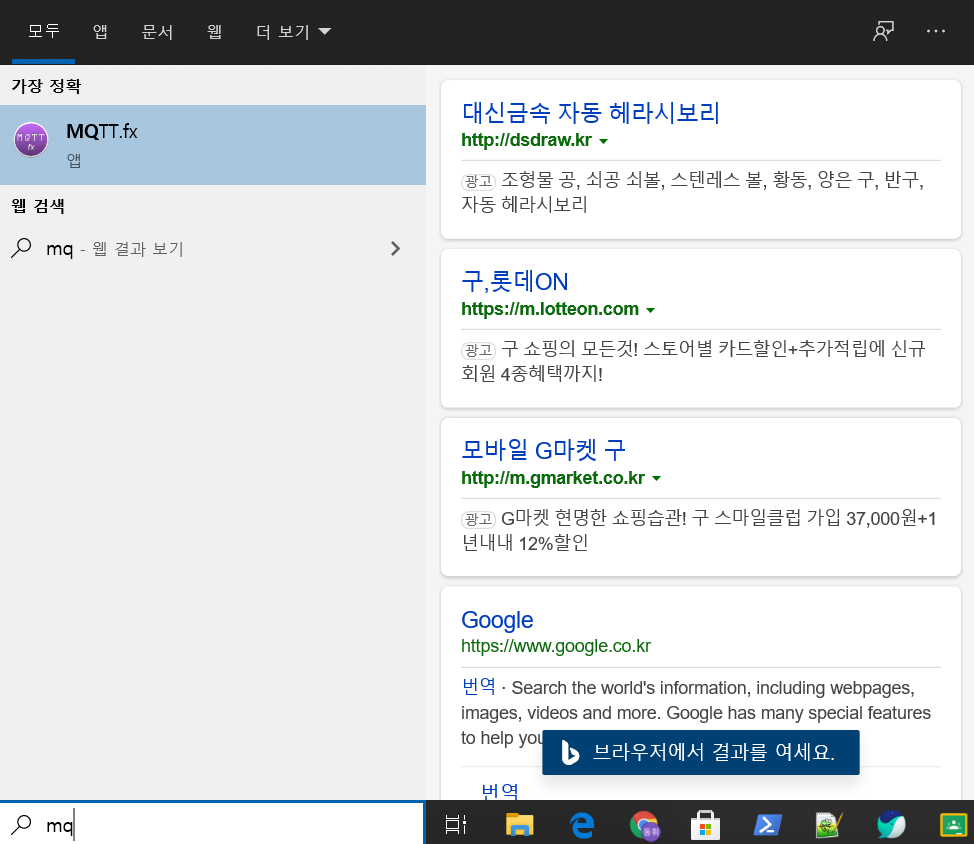
해결방법
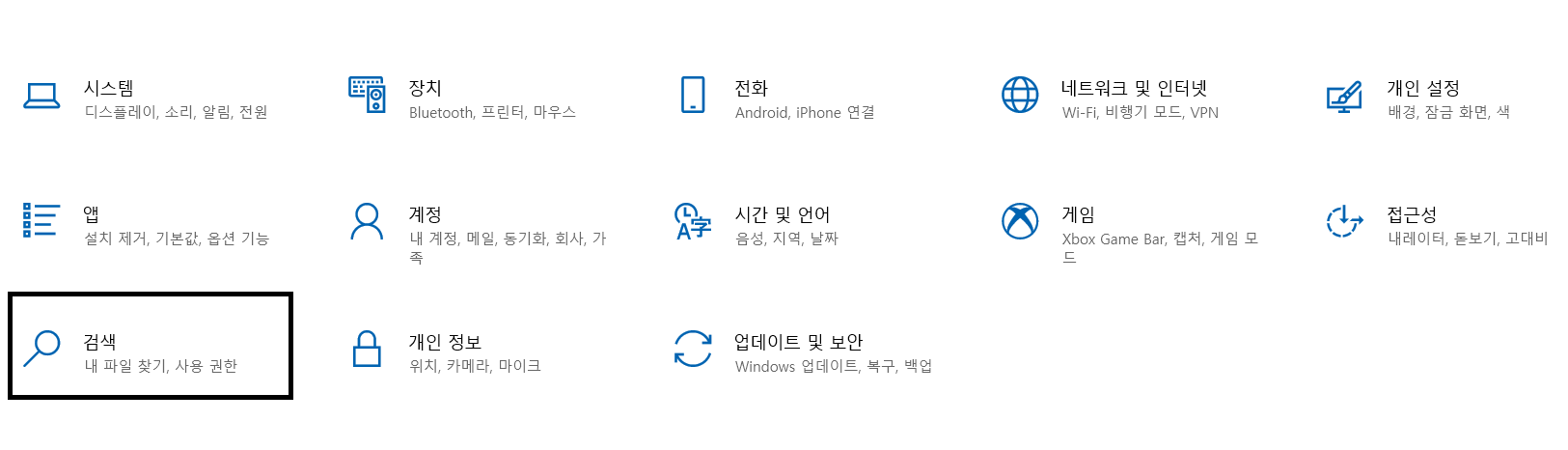
윈도우 설정에 진입 - 검색 진입
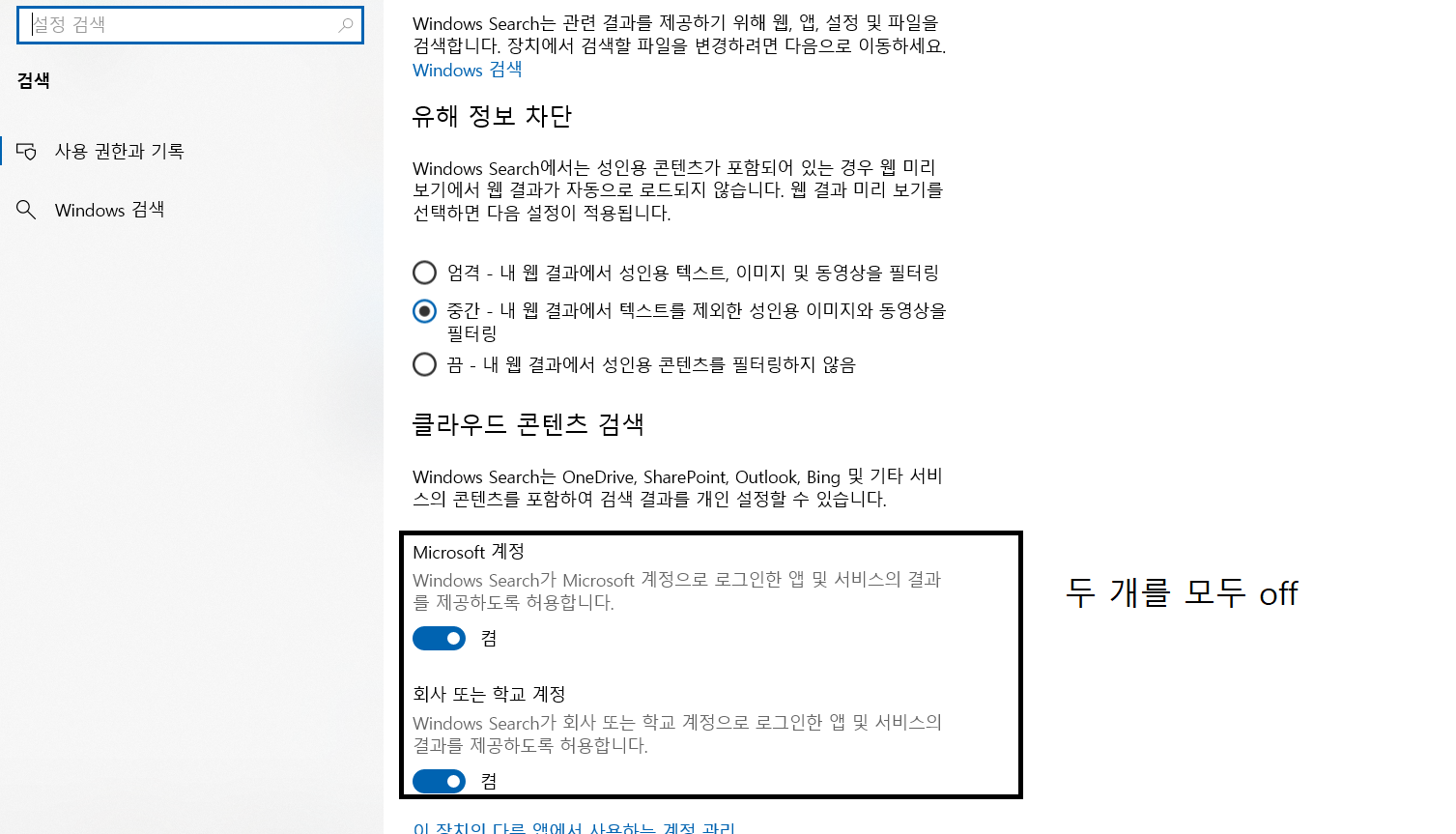
그리고아래 네모 박스 친 것을 모두 해제 합니다.
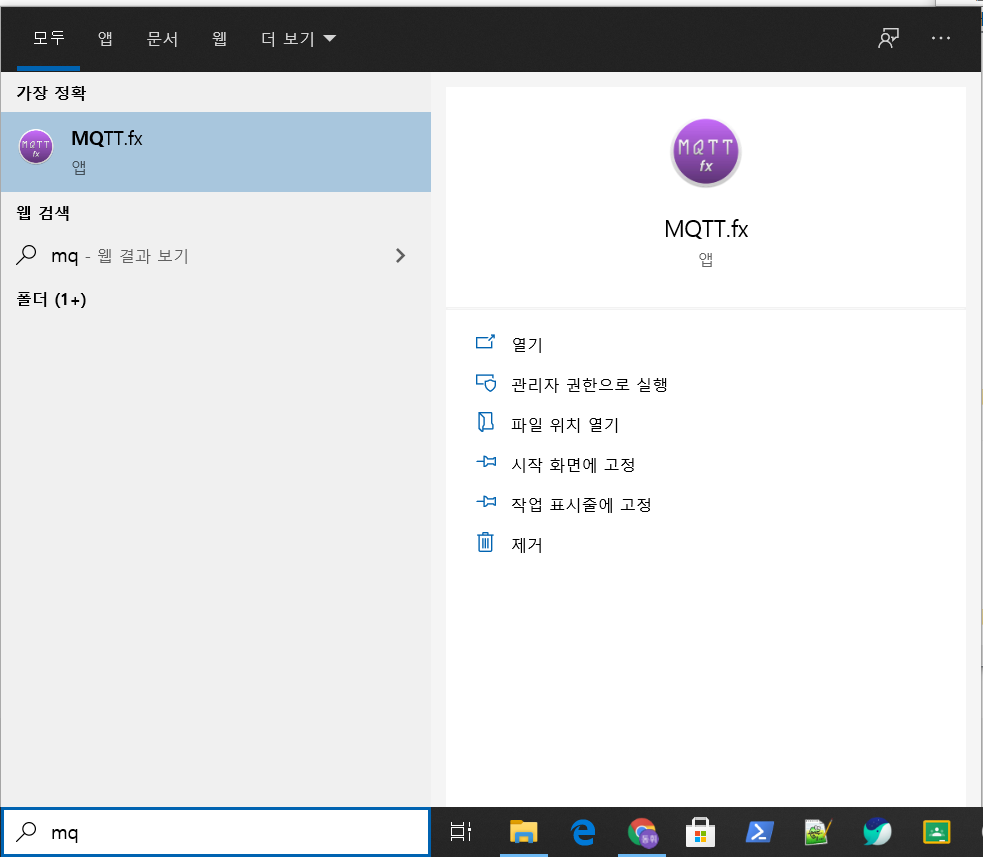
조금 기다리니까 광고가 안 뜨네요~ 감사합니다.
2차 해결 책: www.howtogeek.com/224159/how-to-disable-bing-in-the- windows-10-start-menu/
[
How to Disable Bing in the Windows 10 Start Menu
Windows 10, by default, sends everything you search for in the Start Menu to their servers to give you results from Bing search—so you better make sure that you don’t type anything private into your own PC’s Start Menu. Or, you could just disable the
www.howtogeek.com
](https://www.howtogeek.com/224159/how-to-disable-bing-in-the- windows-10-start-menu/)
ads